When people compare IPTV vs cable TV, the most common articles reach the same conclusion: IPTV wins. Most of those articles are written by IPTV providers.
This guide takes a different approach. IPTV and cable TV each have genuine advantages and real limitations, and the right choice depends on your household's specific situation — your internet connection, viewing habits, device preferences, and tolerance for setup complexity. Neither technology is universally better.
What follows is a practical, balanced comparison across the criteria that actually matter to a US household making this decision.
The Core Difference Between IPTV and Cable TV
The fundamental difference between IPTV and cable TV is how the content reaches your screen.
Cable TV delivers television over a provider's dedicated physical network — coaxial cable lines run to your home and connect to a cable box or a cable-ready TV. The signal travels on infrastructure managed and maintained by the cable company. Your TV service operates largely independently of your internet connection.
IPTV (Internet Protocol Television) delivers television content using the same internet protocol technology that loads websites and video calls. Content travels from the provider's servers over an IP network — in most home setups, your broadband internet connection — to a compatible device running a player app.
This is the distinction that drives everything else in this comparison. IPTV is not simply "any video watched on the internet." Streaming platforms like Netflix or YouTube are OTT (Over the Top) services that deliver on-demand content publicly over the internet. IPTV typically refers to subscription services delivering live television channels, on-demand libraries, and catch-up TV through a dedicated player application — a different model even if the user experience can feel similar.
How Each Technology Delivers Content
How Cable TV Works
A cable provider maintains a network of physical cables that run from a central facility to neighborhoods and individual homes. That infrastructure carries television signals as data to your cable box or directly to a cable-ready television. Your cable box decodes the signal and displays your channel guide.
The content you receive is determined by your subscription tier. Premium channels, sports packages, and on-demand content typically cost extra on top of the base package.
How IPTV Works
An IPTV provider stores content — live channels, video on demand, and catch-up recordings — on servers in data centers. When you select a channel or a title on your player app, your device sends a request to the provider's server over your internet connection. The server streams that content back to your device as a continuous flow of data packets.
You need two components: a subscription (which provides your access credentials — an M3U link or Xtream Codes) and a player app (software installed on your device that reads those credentials and displays your channels). The player app and the subscription are purchased separately, and the player app has no content without credentials from a provider.
For a fuller explanation of how IPTV works, the dedicated guide in this series covers the technical picture in plain language.
Equipment and Installation
Cable TV: Requires physical infrastructure at your home — a coaxial cable connection to the property, a cable box from the provider, and in most cases a technician visit for initial setup or relocation. Equipment is typically rented rather than owned, which means monthly equipment rental fees appear on your bill indefinitely. If you move, the process starts again with a new installation.
IPTV: Works on devices you likely already own — Smart TV, Firestick, Android TV box, tablet, or laptop. No technician visit is needed. Setup involves installing a player app and entering your subscription credentials. If a device needs to be purchased, a Firestick or comparable streaming device typically costs $30–$50 as a one-time purchase rather than an ongoing rental.
Cable has a clear simplicity advantage at first setup — one technician visit and it works on any television in the house. IPTV requires some self-setup, though the process is well-documented for most devices. The practical complexity of IPTV setup has decreased significantly as player apps have improved.
Internet Requirements for IPTV
IPTV depends on a functioning and adequately fast internet connection. This is the single most important practical difference for many households.
The FCC Broadband Speed Guide provides minimum download speed guidelines for video streaming:
| Video Quality | FCC Minimum Guideline |
|---|---|
| Standard Definition (SD) | 3-4 Mbps per stream |
| High Definition (HD) | 5-8 Mbps per stream |
| Ultra HD (4K) | 25 Mbps per stream |
These are per-device, per-stream minimums. A household with two people streaming HD simultaneously needs at least 10–16 Mbps available for streaming alone, on top of all other internet activity.
Whether 4K content is available depends on the specific IPTV provider and what they offer — it cannot be assumed.
Cable TV does not require a home internet connection for the television signal itself. If your internet goes down, cable TV can continue working — depending on the nature and location of the service disruption.
If your internet connection is slow, unreliable, or shared with heavy competing use, this comparison shifts meaningfully toward cable. If you have a stable modern broadband connection, it is less of a factor.
Device Flexibility and Portability
Cable TV: The cable box is physically connected to one television. If you want TV in multiple rooms, you typically need additional boxes — at additional monthly cost. The service is tied to your home address. You cannot take it to a hotel, a second property, or use it while traveling. Relocating means a new installation at the new address.
IPTV: The same subscription credentials generally work on any compatible device, wherever you have internet access. This means you can watch on a Smart TV, a Firestick, a tablet, or a laptop — at home or away. The number of devices that can stream simultaneously depends on the plan's stream limit, which varies by provider and should be confirmed before subscribing.
For IPTV on Smart TV or IPTV on Firestick specifically, device compatibility depends on your TV's operating system or Firestick model — these details are covered in the dedicated device guides.
Device flexibility is one of IPTV's clearest practical advantages over traditional cable for households with multiple screens or people who travel.
Picture Quality and Playback Stability
Neither IPTV nor cable TV universally delivers better picture quality. Quality depends on different variables for each.
Cable picture quality depends on the provider's feed and signal compression, the package you subscribe to, and the quality of the equipment installed. HD service is typically standard; 4K availability varies by provider and package.
IPTV picture quality depends on the source quality of the streams, the bitrate your provider delivers, the stability and speed of your internet connection, the player app, and your device's capabilities. With a reliable broadband connection and a provider delivering high-bitrate streams, IPTV picture quality can match or exceed cable. With a congested or slow connection, buffering and quality degradation occur regardless of the provider.
Both technologies can deliver excellent quality under good conditions. The key variable for cable is the provider's infrastructure and package; the key variable for IPTV is your internet connection.
Live TV, On-Demand Content, and Sports
Cable: Live TV is cable's original strength — channels broadcast in real time with consistent scheduling. On-demand content is available but often limited by package tier or involves additional fees. Sports coverage has historically been cable's stickiest content category: regional sports networks (RSNs) carrying local MLB, NBA, and NHL games remain difficult to access outside traditional cable and satellite.
IPTV: Delivers live TV, on-demand libraries, and catch-up TV through the same subscription. Catch-up TV — the ability to watch recently aired programs without recording them — is available from many IPTV providers, though not all. On-demand libraries vary enormously between providers.
On sports access: regional sports networks are the most commonly cited reason US households maintain cable subscriptions (Parks Associates and Leichtman Research consumer data, cited by CableCompare.com, 2026). Live national sports are more broadly available through IPTV, but local sports market coverage should be confirmed with any provider before subscribing, as this varies significantly.
IPTV vs Cable TV: Cost Comparison
Cost is a genuine and important difference. But it should be evaluated accurately rather than with invented numbers.
What Cable TV Bills Actually Include
Based on industry data from multiple independent sources, US cable TV subscribers are currently paying approximately $100–$150 per month for television service alone. JD Power's Q1 2025 Share of Wallet Tracker put unbundled cable/satellite TV at an average of $121.86/month. The Reviews.org State of Consumer Media Spending report (2025) recorded $101/month for cable TV. CableTV.com's State of TV 2026 report, drawing on a survey of 26,500 consumers, cited $147/month as the average cable bill.
What drives that total:
- Base subscription tier
- Equipment rental fees (cable box, remote, additional room boxes)
- Installation and technician fees (one-time or recurring)
- Broadcast TV surcharges and regional sports fees
- Taxes and regulatory fees
- Promotional pricing that increases after the introductory period (typically 12–24 months)
The FCC consumer protections for cable bills note that cable operators are prohibited from charging subscribers for services or equipment they did not affirmatively request — but consumers should review their bills carefully, as additional charges have historically appeared without explicit consent.
What IPTV Costs Typically Cover
IPTV subscription pricing varies considerably by provider and plan duration, but most third-party IPTV subscription services cost substantially less than traditional cable — often in the range of $10–$30 per month depending on the plan.
Additional costs to consider:
- A player app, if it has a paid tier (many are free; some have optional premium tiers)
- A streaming device, if you don't already own one — typically a one-time purchase of $30–$50
- Your existing internet bill, which you likely already pay regardless of TV choice
- Whether the provider charges separately for features like catch-up TV or multi-stream access
For reference, FoxTele's confirmed prepaid plans are: 3 months for US$30, 6 months for US$45, and 12 months for US$70. These are one-time prepaid payments, not recurring charges.
Contracts, Fees, and Plan Flexibility
Cable TV: Major cable providers commonly offer promotional pricing tied to 12 or 24-month contracts. Early termination fees apply if you cancel before the contract ends — fees that can reach hundreds of dollars depending on the provider and the time remaining. The FCC has noted these practices in consumer guidance. Promotional prices typically increase significantly after the introductory period, sometimes by $40–$60 or more per month.
IPTV: Most subscription IPTV services do not require long-term contracts. Plans are typically structured as prepaid durations (1 month, 3 months, 6 months, 12 months) with no automatic renewal unless the subscriber chooses to renew. Shorter plans cost more per month but allow lower commitment.
Plan flexibility is one of IPTV's practical advantages. The absence of early termination fees and the ability to start with a short plan before committing to a longer duration gives IPTV subscribers more control over their spending.
Multi-Device and Household Use
Cable TV: Additional room boxes are typically required for each additional television, each at an additional monthly rental cost. Different household members cannot watch different channels on separate devices from a single cable subscription without additional equipment.
IPTV: Most subscriptions allow the same credentials to be used on multiple compatible devices. Simultaneous streaming is limited by the plan's stream count — typically one to several concurrent streams depending on the provider and plan. A household where multiple people want to watch simultaneously on different devices should confirm the exact stream limit before subscribing.
Reliability During Outages
This section requires honest treatment of both sides.
Cable TV reliability: Cable uses dedicated infrastructure maintained by the provider. In many areas, cable service is consistent and outages are relatively rare. However, cable is not immune to disruption: weather events, construction damage, provider equipment failures, and local infrastructure problems can all cause outages. When cable has an outage, there is typically no workaround until the provider restores service.
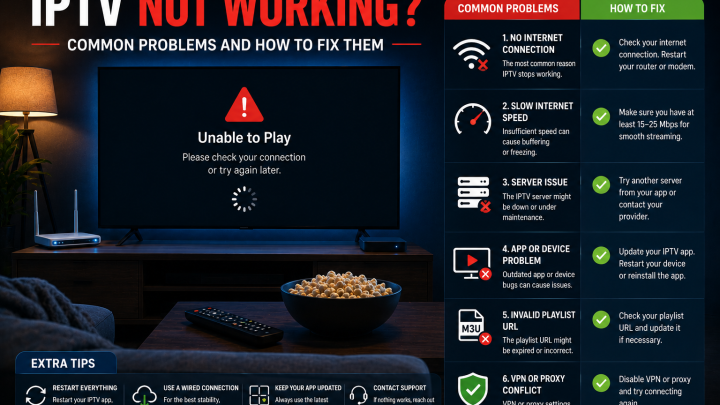
IPTV reliability: IPTV playback depends on your internet connection and the provider's server infrastructure. Disruptions can be caused by: your home internet going down, Wi-Fi signal weakness, router issues, network congestion, or problems on the provider's side. When your internet connection is down, IPTV does not work. When the provider's servers have issues, streams may buffer or fail even with a working internet connection.
The honest summary: cable has an advantage in the specific scenario of a home internet outage — cable TV can keep working while IPTV cannot. For rural areas or regions with frequent or extended internet outages, this matters. For most US urban and suburban households with modern broadband, extended internet outages are infrequent enough that this distinction is a secondary consideration.
Neither technology is universally more reliable. The factors that affect each are different.
Privacy, Security, and Content Authorization
Cable TV privacy: Your cable provider has your name, address, and payment information and can see your viewing data. Cable service is tied to a fixed physical address.
IPTV privacy: Account security depends on the provider. Your credentials (username, password, server URL or M3U link) should be treated as private — do not share them publicly or with unauthorized parties. A reputable provider will have clear account management and will not require unusual payment methods that eliminate your ability to dispute a charge.
Content authorization: This is the dimension most comparison articles skip entirely. IPTV technology is legal. Whether a specific IPTV service is operating lawfully depends on whether it holds proper licenses to distribute the content it offers. The same principle that applies to cable — that content must be properly licensed for distribution — applies to IPTV services.
When evaluating any IPTV provider, look for: transparent contact information, clear terms of service, standard payment methods, and the ability to answer straightforward questions about their service before you pay. A provider who avoids these questions is not demonstrating good faith.
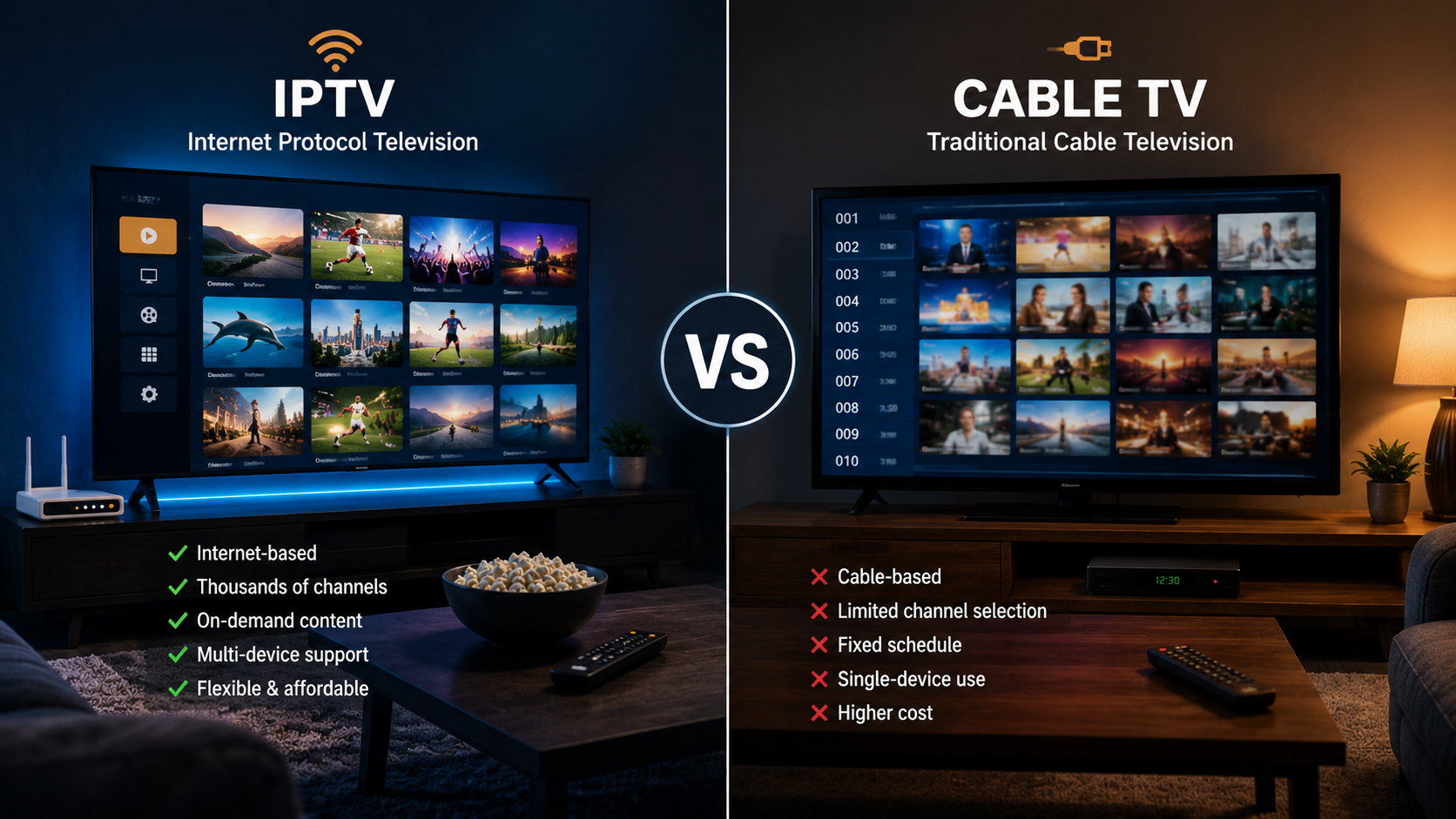
IPTV vs Cable TV: At a Glance
| Feature | IPTV | Cable TV |
|---|---|---|
| Delivery method | Over your internet connection (IP network) | Over provider's physical cable infrastructure |
| Internet required | Yes — stable broadband needed | Not for the TV signal itself |
| Equipment | Devices you likely own; optional streaming stick | Cable box (typically rented monthly) |
| Installation | Self-setup via app; no technician usually needed | Often requires technician visit |
| Device flexibility | Works on most compatible devices | Tied to cable box location |
| Portability | Works anywhere with internet | Tied to your home address |
| Live TV | Yes, from most providers | Yes |
| On-demand content | Varies by provider | Available; varies by package and tier |
| Multi-device access | Depends on stream limit per plan | Requires additional boxes per TV |
| Picture quality factors | Internet speed and bitrate | Provider feed, package, and equipment |
| Reliability | Depends on internet and provider infrastructure | Depends on cable network and equipment |
| Contracts | Usually none; prepaid plans | Often 12–24 month contracts with ETFs |
| Additional fees | Player app (often free); streaming device (one-time) | Equipment rental, broadcast surcharges, promotional price increases |
| Switching providers | Relatively easy — no hardware return usually needed | May involve ETF and equipment return |
| Setup complexity | Moderate — requires player app configuration | Low after initial installation |
Which May Suit Your Household?
IPTV May Be Worth Considering If
- You have a reliable home internet connection with adequate speed for the number of streams you need
- You want more device flexibility — watching on Smart TV, Firestick, tablet, or laptop from any location
- You prefer no long-term contract commitments
- You want to avoid ongoing monthly equipment rental fees
- You are comfortable with a moderate amount of self-setup (installing a player app, entering credentials)
- You are open to a shorter plan to test the service before committing to a longer duration
Cable May Still Make Sense If
- Your internet connection is slow, shared, or frequently unreliable — IPTV depends on broadband stability
- You rely heavily on regional sports networks (RSNs) for local team coverage, which IPTV access varies on
- You strongly prefer a single-piece, provider-installed setup with no self-configuration
- You want television service that functions even when your home internet is down
- Other household members prefer not to change an established setup that works
These are not absolute rules. A household with slow internet but strong cable TV history might find a broadband upgrade worthwhile before making any switching decision. A cable subscriber primarily concerned about cost might find a shorter IPTV plan a low-risk way to evaluate the alternative before canceling cable.
Where FoxTele Fits Into an IPTV Setup
FoxTele is a US-market IPTV service with prepaid, non-recurring plans. For households that have evaluated the criteria above and are ready to explore an IPTV option, FoxTele is one transparent option.
Plans:
| Plan | Price |
|---|---|
| 3 Months | US$30 |
| 6 Months | US$45 |
| 12 Months | US$70 |
Supported devices include: Samsung and LG Smart TV, Android TV and Android Box, Amazon Firestick, MAG Device, mobile and tablet, Windows PC, and Mac. Confirm compatibility for your specific device before subscribing.
Order process: Select a plan on the FoxTele website, submit your order request, receive a payment link by email or WhatsApp after order review, complete payment, then receive your setup and activation information. There is no automatic checkout.
Contact:
- Email: support@foxtele.us
- WhatsApp: +1 450-485-2195
Trial availability, refund terms, stream limits, and specific device compatibility should be confirmed directly with FoxTele before subscribing.
Considering an IPTV alternative to cable? If IPTV better matches your household's viewing habits, review device compatibility, internet connection speed, and plan requirements before choosing a service. Explore FoxTele plans or contact support with setup questions.
Considering an IPTV Alternative to Cable?
If IPTV better matches the way your household watches TV, review your device compatibility, internet connection, and plan requirements before choosing a service. You can explore FoxTele plans or contact support with setup questions.
Frequently Asked Questions
What is the difference between IPTV and cable TV?
Cable TV delivers television through a provider's physical cable infrastructure to a cable box in your home. IPTV delivers television content over your internet connection using Internet Protocol technology, accessed through a player app on a compatible device. The key practical difference is that IPTV requires a stable internet connection and some self-setup, while cable operates on the provider's managed network with provider-installed equipment.
Is IPTV cheaper than cable TV?
In most cases, yes — significantly so. Independent industry data puts the average US cable TV bill at $100–$150 per month, including equipment rental and fees. IPTV subscriptions from most providers are priced well below that range. However, IPTV costs vary by provider and plan. You should also account for any streaming device purchase (typically a one-time cost), the player app (often free), and your existing internet bill. The comparison is more favorable to IPTV the more cable-specific fees your current bill includes.
Is IPTV better than cable?
It depends on your household. IPTV has clear advantages in device flexibility, plan flexibility, and cost. Cable has clear advantages in reliability during internet outages and, for some users, regional sports network access. Neither is universally better. Use the household decision framework in this guide to assess which matters more for your specific situation.
Does IPTV require internet?
Yes. IPTV content is delivered over your internet connection. A stable broadband connection is required for consistent playback. The FCC's Broadband Speed Guide recommends 5–8 Mbps per HD stream and 25 Mbps per 4K stream as minimum guidelines. If your internet is slow or unreliable, IPTV performance will reflect that regardless of the provider.
Is cable TV more reliable than IPTV?
Both technologies have reliability considerations. Cable uses dedicated infrastructure that does not depend on your home internet connection, which gives it an advantage in the specific scenario of an internet outage. However, cable is still subject to outages from infrastructure damage, equipment failures, and local network issues. IPTV reliability depends on your internet connection and the provider's server infrastructure. For most US households with modern broadband, both options deliver reliable service under normal conditions.
Can IPTV replace cable?
For many households, yes — particularly those with a reliable broadband connection, who are comfortable with self-setup, and who are not dependent on regional sports networks for local team coverage. For households in areas with unreliable internet, or those heavily reliant on RSN sports, cable may remain the more practical option. The simplest test: use a trial or short IPTV plan alongside your existing cable subscription before canceling.
In short, IPTV vs cable TV depends on your household priorities, internet reliability, budget, and tolerance for setup.