With the 2026 NFL regular season starting September 9 — kicking off with a Super Bowl LX rematch between the New England Patriots and Seattle Seahawks on NBC — football fans using IPTV subscriptions are evaluating their setups before the first Sunday of games on September 13.
See the 2026 NFL season schedule from NBC Sports.
Finding the best IPTV for NFL viewing isn't about which service claims the longest channel list. It's about whether your specific IPTV subscription, player app, device, and internet connection can handle the demands of live football — a technically harder streaming task than watching movies or general TV. This guide explains exactly what matters and how to evaluate any provider before the season starts.
One important clarification upfront: This article does not name specific NFL broadcasts as available through FoxTele or any unlicensed IPTV provider. NFL games are copyrighted broadcasts distributed through authorized partners. Any specific channel or broadcast availability claim from an IPTV provider should be verified with that provider — and users should understand the distinction between authorized and unauthorized streams before subscribing.
What Makes an IPTV Setup Good for NFL Fans?
NFL viewing places specific demands on a streaming setup that don't apply the same way to general TV or movies:
- Live-event peak load — when millions of viewers tune in simultaneously at Sunday kickoff, provider servers experience traffic spikes that on-demand content never creates. A service that streams smoothly on a Tuesday evening may perform differently during a 1 PM Sunday AFC doubleheader.
- No second chances — a critical play dropped by buffering cannot be rewound on a live stream the way a movie scene can.
- Long sessions — a full Sunday of NFL viewing may run 8+ hours. Device performance and network stability need to hold up across extended sessions.
- Multiple simultaneous games — if you follow multiple games or want to switch between regional markets, channel-switching speed and EPG accuracy matter more than in typical daily viewing.
The right setup for NFL viewing combines a stable internet connection, a suitable device, a responsive player app with good EPG, and a subscription that has been tested at the actual demand hours you'll use it.
What to Look for in the Best IPTV for NFL
Streaming Stability During Live Games
Live sports place a disproportionate load on provider servers compared to on-demand content. At kickoff — when thousands of viewers connect simultaneously to the same stream — providers with under-built infrastructure may experience congestion that shows up as buffering, stream drops, or quality degradation.
No IPTV provider can guarantee perfect performance during every game. Evaluate stability claims by testing, not by trusting marketing language. Terms like "anti-freeze technology," "guaranteed zero buffering," and "anti-lag servers" are marketing phrases rather than technical specifications — they cannot be independently verified and should not be treated as performance guarantees.
The most honest stability test: access the service during a live event at peak hours — ideally during NFL preseason games (which begin August 6) — rather than during a quiet midweek test session.
HD Picture Quality
HD (1080p) is the baseline resolution for most IPTV sports content. Whether 4K is available depends on the specific stream source, the subscription, your internet connection, your player app's decoding capability, and your display device. Not all NFL broadcasts are available at 4K even through authorized distributors; availability through IPTV providers varies and should be verified before subscribing.
At HD resolution, stable playback without dropped frames matters more than resolution for live sports. Motion handling and frame rate (60fps vs. 30fps) have a greater practical impact on fast-moving gameplay than pure resolution.
Device Compatibility
Any compatible device can theoretically stream IPTV, but performance and setup complexity vary. Key considerations for NFL viewing:
- Firestick / Fire TV — most popular IPTV device in the US. The Fire TV Stick 4K Max offers the best performance for sustained sports streaming among Firestick models. The 2025 Fire TV Stick 4K Select and 2026 Fire TV Stick HD run Vega OS and cannot sideload apps — meaning TiviMate and XCIPTV cannot be installed on these models.
- Android TV box — strong performers for sustained sports viewing due to better processors and thermal management than streaming sticks
- Smart TV (Samsung/LG native) — limited IPTV player options in native app stores; no TiviMate available
- Smartphone/tablet — practical for mobile viewing; less suited for long sessions due to screen size
IPTV Player Compatibility
For NFL viewing, player app performance matters more than for general TV. Fast channel switching between games, a clear sports-organized EPG, and smooth full-screen playback at high bitrates are the key requirements.
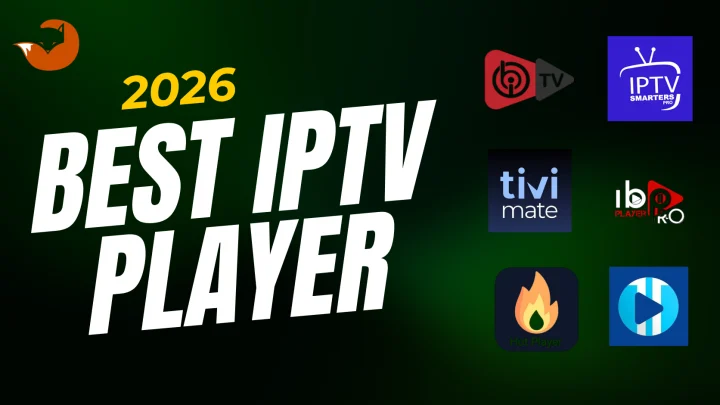
TiviMate is widely regarded as the strongest player for live sports on Android TV and Fire OS Firestick: its grid-style EPG, fast channel-switching, and multi-view feature (Premium) that displays several channels simultaneously are well-suited to following multiple games. IPTV Smarters Pro offers broader device support including iOS and all Firestick models, with adequate EPG and sports navigation.
See the Best IPTV Player guide for a full device-by-device comparison of player options.
EPG and Game Navigation
A useful Electronic Program Guide shows scheduled games, start times, and channel names in a scrollable format — similar to a cable TV guide. For NFL Sundays with multiple simultaneous games across different time slots, a well-organized EPG significantly reduces the time spent searching for a specific broadcast.
EPG quality depends on both the player app (TiviMate leads for EPG implementation) and the quality of the EPG data your provider supplies. Some providers deliver comprehensive EPG data; others have gaps or inaccuracies. Test EPG accuracy during the preseason to confirm it reflects the actual sports schedule before the regular season begins.
Customer Support
For live-event viewing, support response time matters more than in general IPTV use. A setup problem that appears 10 minutes before kickoff requires a faster resolution path than an issue during an ordinary viewing session. Before committing to any provider for a full season, test their support responsiveness with a specific pre-subscription question and evaluate both the speed and specificity of the response.
Best Devices for Watching NFL With IPTV
Firestick / Fire TV
The Fire TV Stick 4K Max is the strongest Fire TV device for sustained sports streaming — its faster processor, Wi-Fi 6 connectivity, and better thermal management handle extended high-bitrate sessions better than older or entry-level models.
Critical 2026 note: The Fire TV Stick 4K Select (released October 2025) and Fire TV Stick HD (released April 2026) run Vega OS and do not support sideloading. TiviMate cannot be installed on these models. IPTV Smarters Pro (available in the Amazon Appstore) is the practical player choice for Vega OS Firestick owners.
For Firestick setup, see How to Install IPTV on Firestick.
Android TV and Google TV
Dedicated Android TV boxes (from brands like NVIDIA, Xiaomi, or third-party manufacturers) typically offer the best sustained streaming performance for live sports due to their more powerful processors, active cooling, and full Google Play Store access (including TiviMate). Google TV devices (Chromecast with Google TV, select TCL and Sony televisions) also offer full Google Play access.
Smart TVs
Samsung (Tizen) and LG (webOS) Smart TVs have limited native IPTV player apps. TiviMate is not available on either platform. IPTV Smarters Pro is available in both the Samsung App Store and LG Content Store. For the best sports viewing experience on a Samsung or LG display, connecting a Firestick or Android TV box via HDMI is often a more capable solution than the native TV apps.
Smartphones and Tablets
Practical for following scores while watching on a main TV, or for watching away from home. Not ideal as a primary NFL viewing device for long sessions. iOS users should use IPTV Smarters Pro (listed as Smarters Player Lite in the App Store) or GSE Smart IPTV.
Windows and Mac
IPTV Smarters Pro has a Windows and macOS version. Suitable as a secondary or travel viewing device. A wired Ethernet connection on a desktop or laptop provides more consistent performance than a laptop on Wi-Fi.
Best IPTV Players for NFL Viewing
For live sports, the most important player attributes are: fast channel switching, a clean sports-friendly EPG, and full-screen playback at HD/4K bitrates without dropped frames.
TiviMate leads for Android TV and Fire OS Firestick users — its grid EPG and fast channel switching are particularly suited to NFL multi-game Sundays. Multi-view (Premium) allows watching several channels simultaneously, which is useful when following multiple games.
IPTV Smarters Pro is the most practical option for users on Vega OS Firestick, Samsung Smart TV, LG Smart TV, iPhone, or across multiple device types.
For a full player comparison including device-by-device recommendations, see the Best IPTV Player guide, or see TiviMate vs IPTV Smarters for a head-to-head comparison.
How Much Internet Speed Do You Need for NFL Streaming
For HD sports streaming, a stable 10–15 Mbps per active stream is a practical minimum. For 4K where available, 25 Mbps or higher per stream is the threshold in the FCC Broadband Speed Guide for Ultra HD streaming.
The word "stable" matters more than peak speed for live sports. A connection that delivers 50 Mbps on average but drops to 5 Mbps during peak neighborhood hours will cause buffering at exactly the moments you're most likely to be watching — Sunday afternoon and evening.
Run a speed test at game time (Sunday 1 PM–8 PM ET) specifically, not during a weekday morning. The result during peak hours is a more accurate predictor of NFL viewing performance than an off-peak test.
Wi-Fi vs Ethernet for Live Football
A wired Ethernet connection to your streaming device eliminates Wi-Fi signal fluctuation and packet loss — both of which are more visible in live sports than in buffered on-demand content. Dropped packets that are invisible while streaming a film can cause a noticeable freeze during a live play.
Ethernet is not required — most users on stable Wi-Fi watch live sports without significant interruption. But if you experience intermittent buffering specifically during NFL games, switching to Ethernet is the highest-impact single change you can make.
For Firestick users, an Ethernet adapter for Fire TV connects to the Firestick's USB or USB-C port (verify which is correct for your specific model). For Android TV boxes, most have a built-in Ethernet port.
How to Reduce Buffering During NFL Games
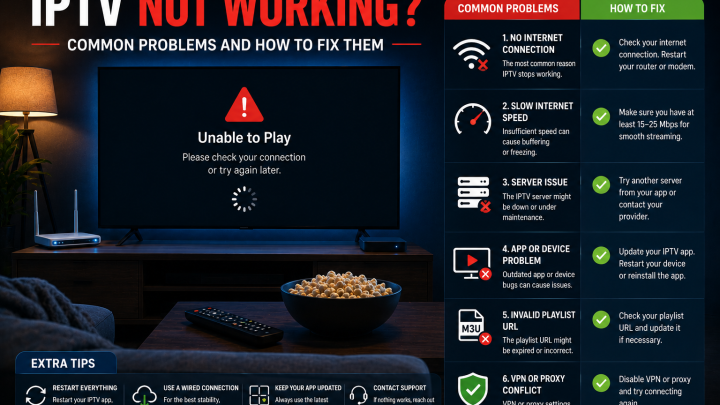
Brief summary only — the full troubleshooting process is covered in How to Fix IPTV Buffering.
For NFL-specific situations:
- Restart your router and streaming device before a game — not after buffering starts
- Switch to Ethernet or move closer to your router before kickoff
- Close all unnecessary apps on the device and reduce other household network activity
- Avoid rapidly switching between streams when server load is highest (the first 5–10 minutes after kickoff)
- If all channels buffer simultaneously, the issue may be provider-side rather than your home network — test on mobile data to differentiate
IPTV vs Cable for NFL Fans
A balanced comparison relevant to fans considering switching from cable for the 2026 season:
| Factor | IPTV | Cable |
|---|---|---|
| Hardware required | Devices you likely own; optional streaming stick ($30–$50) | Cable box (typically rented monthly) |
| Internet dependency | Yes — stable broadband required | TV signal works without internet |
| Device flexibility | Multiple compatible devices; mobile access | Tied to cable box location |
| Live sports reliability | Depends on connection and provider infrastructure | Dedicated cable infrastructure |
| Contract commitment | Usually none; prepaid plans | Often 12–24 month contracts with ETFs |
| Cost | Varies; typically lower than cable bundles | Average US cable bill $100–$150/month |
| Regional sports coverage | Depends on provider and content rights | Traditional RSN access through cable |
For the full IPTV vs. cable comparison, see IPTV vs Cable TV.
The practical consideration for NFL specifically: cable maintains an advantage for regional sports network access (local team coverage in specific markets) and operates independently of your home internet connection. IPTV offers device flexibility and typically lower cost but depends on broadband stability.
Questions to Ask Before Buying IPTV for NFL
Use this checklist when evaluating any provider before the season starts:
- Which devices do you support? Can you confirm my specific model (including Firestick generation) works with your service?
- What login method do you use? Xtream Codes or M3U? Does my preferred player app support it?
- What picture quality is available for sports content? Is HD the baseline? Is 4K available on specific channels?
- What happens to streams during high-demand live events? How does the service handle peak load at Sunday kickoff?
- Is EPG available? Does it accurately reflect current sports schedules including NFL game times?
- How many simultaneous streams or devices does the plan include? Is a multi-stream option available?
- What are the renewal terms? One-time prepaid or recurring subscription? What triggers a charge?
- How can I reach support, and how quickly do they respond? Is support available during typical game times (Sunday afternoons and evenings)?
- What are the trial and refund terms? Can I test the service at peak hours before committing to a longer plan?
- How do you document the content your service is authorized to distribute? What is the basis for any sports content availability claims?
Preparing Your IPTV Setup Before NFL Game Day
Don't troubleshoot at kickoff. Set up and test before the season begins.
Before the 2026 season (preseason starts August 6):
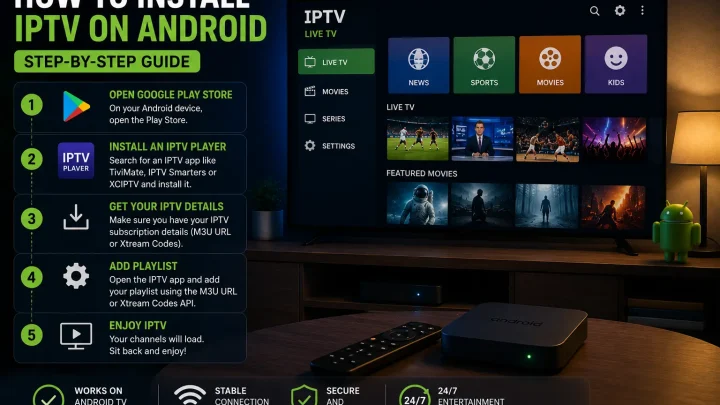
- Install your IPTV player app before the first preseason game
- Enter your subscription credentials and verify the playlist loads
- Test EPG accuracy against the actual preseason schedule
- Watch a full preseason game to test sustained playback — not just a 5-minute test
- Test during game time hours (1 PM–8 PM ET on Sundays) to simulate real load conditions
- Confirm the Ethernet connection or verify Wi-Fi signal strength at your viewing location
- Update your streaming device and player app to current versions
- Confirm your subscription plan's stream limit if multiple household members plan to watch simultaneously
Before each game day:
- Restart your router and streaming device
- Verify your internet connection is stable before kickoff
- Refresh your playlist if you haven't used the service in several days
- Start a test stream 5–10 minutes before kickoff rather than exactly at kickoff when server load spikes
Is IPTV Legal for Watching NFL?
IPTV technology itself is a legal delivery method — the same underlying network protocol that video calls and web browsing use. Whether watching NFL games through a specific IPTV subscription is lawful depends on whether that provider holds appropriate broadcasting rights for the content they distribute.
NFL broadcasts are copyrighted and distributed exclusively through authorized partners — NBC/Peacock (Sunday Night Football), CBS (Sunday AFC games), FOX (Sunday NFC games), ESPN/ABC (Monday Night Football), Prime Video (Thursday Night Football), and Netflix (select games). These are the entities with legal authority to distribute those broadcasts.
Providers that carry these broadcasts without authorization are redistributing copyrighted content without the rights to do so. Enforcement of streaming rights has increased in recent years, with the FCC, NFL, and rights holders pursuing unauthorized redistribution more actively.
Before subscribing to any IPTV service for NFL viewing, users are encouraged to understand what content rights the provider holds and what type of service they're using. For questions specific to your legal situation, consult a qualified attorney — not a marketing page.
How FoxTele Works for Sports Viewers
FoxTele is a US-market IPTV service with prepaid, non-recurring plans.
Plans:
| Plan | Price |
|---|---|
| 3 Months | US$30 |
| 6 Months | US$45 |
| 12 Months | US$70 |
Supported devices include: Amazon Firestick, Android TV and Android Box, Samsung and LG Smart TV, MAG Device, mobile and tablet, Windows PC, and Mac. Confirm compatibility for your specific device and model before subscribing.
Order process: Select a plan, submit your order request, receive a payment link by email or WhatsApp after order review, complete payment, then receive your setup and activation information.
For sports viewers: Before subscribing, contact FoxTele support to confirm what sports content is available in your plan, whether the content you want is accessible on your device, and how the service handles peak-load live events. Confirm trial and refund terms before paying. The preseason (starting August 6) is the ideal time to test any service before the regular season begins.
Contact:
- Email: support@foxtele.us
- WhatsApp: +1 450-485-2195
Trial availability, refund terms, stream limits, sports content details, and specific device compatibility should be confirmed directly with FoxTele before subscribing.
Looking for an IPTV setup for the 2026 NFL season? Explore FoxTele plans to review the prepaid plan options and contact support with compatibility questions before submitting an order request.
Preparing Your IPTV Setup for the 2026 NFL Season?
The 2026 NFL regular season starts September 9. Before committing to a plan, confirm your device compatibility, preferred player app, and what sports content is available. Contact FoxTele support before ordering if you have questions about compatibility or the setup process.
Frequently Asked Questions
What is the best IPTV for NFL?
It depends on your device, internet connection, and what content the provider is authorized to distribute. Use the checklist in this guide — device compatibility, EPG accuracy, peak-hour stability, stream limits, and transparent terms — to evaluate any provider. Test during preseason (starting August 6) before the regular season begins September 9.
Can I watch NFL on IPTV?
Whether NFL games are available through a specific IPTV subscription depends on whether that provider holds broadcast rights. NFL games are licensed exclusively to NBC, CBS, FOX, ESPN, Prime Video, and Netflix. Verify any sports content claim directly with the provider and understand the difference between authorized and unauthorized streams.
What IPTV player is best for football?
TiviMate is widely preferred for NFL on Android TV and Fire OS Firestick — fast channel switching, grid EPG, and multi-view (Premium) are suited to multi-game Sunday viewing. IPTV Smarters Pro is the practical choice for Vega OS Firestick, iPhone, and Samsung/LG Smart TV. See the Best IPTV Player guide for full device-by-device recommendations.
Can I use IPTV on Firestick for sports?
Yes, on Fire OS Firestick models (4K, 4K Max, Cube). TiviMate (sideload) and IPTV Smarters (Amazon Appstore) both work well. On Vega OS Firestick models (4K Select, Fire TV Stick HD 2026): IPTV Smarters only — TiviMate requires sideloading which isn’t supported on Vega OS.
Is Ethernet better than Wi-Fi for NFL streaming?
Yes for live sports specifically. Ethernet eliminates packet loss and signal fluctuation that are more visible in live streams. If you experience game-day buffering, switching from Wi-Fi to Ethernet is the highest-impact single fix.
Why does IPTV buffer during football games?
Live sports create peak-load conditions at kickoff when all viewers connect simultaneously. Buffering can also come from your home network, Wi-Fi signal, or device storage. Test on Ethernet with other devices inactive before concluding the cause is provider-side. See How to Fix IPTV Buffering for the full diagnostic guide.
Is IPTV legal for NFL viewing?
IPTV technology is legal. Whether watching NFL games through a specific service is lawful depends on whether the provider holds broadcast rights. NFL games are exclusively licensed to authorized distributors. Services redistributing those broadcasts without authorization do so without legal rights. Verify any provider’s content authorization before subscribing. Consult an attorney for specific legal questions.
Conclusion
Choosing the best IPTV for NFL in 2026 starts before the season does. The 2026 regular season opens September 9 — and the preseason, which begins August 6, is the ideal window to install your player app, verify your subscription credentials, test EPG accuracy against the actual schedule, and run a full-game test during typical game hours.
No provider can guarantee zero buffering during peak NFL Sundays. The honest evaluation process involves testing at real demand hours, asking specific questions about device compatibility and content terms, and understanding the distinction between authorized and unauthorized sports streaming.
Evaluate any service on stability under live-event load, device support for your specific hardware, EPG quality for sports navigation, support responsiveness, and transparent subscription terms — not on channel count claims or marketing language.