If you've been hearing about IPTV but aren't sure what it actually is or whether it would work for your home, this guide covers the basics clearly — no technical background required.
What is IPTV and how does it work? IPTV stands for Internet Protocol Television. Instead of receiving TV through a cable wire or a satellite dish, content is delivered over your broadband internet connection using the same underlying technology that loads websites and streams video. You watch through an app on a device you likely already own.
This guide explains how IPTV works, what equipment you need, how to evaluate internet requirements, what to verify before subscribing, and what limitations to expect.
What IPTV Means
IPTV stands for Internet Protocol Television. "Internet Protocol" refers to the method by which data travels across the internet — in small, organized chunks called packets. Television content delivered this way arrives at your device the same way a webpage loads or a video call connects: over your broadband connection, not through a cable or satellite signal.
This is what separates IPTV from traditional pay TV. There is no dish on your roof and no coaxial cable running into a set-top box. Your internet connection is the infrastructure.
IPTV is also distinct from platforms like Netflix or YouTube. Those are called OTT (Over the Top) services — they deliver on-demand content over the public internet. IPTV typically refers to subscription-based services that deliver live television channels alongside on-demand and catch-up content, often through a dedicated player application.
How IPTV Works: From the Source to Your Screen
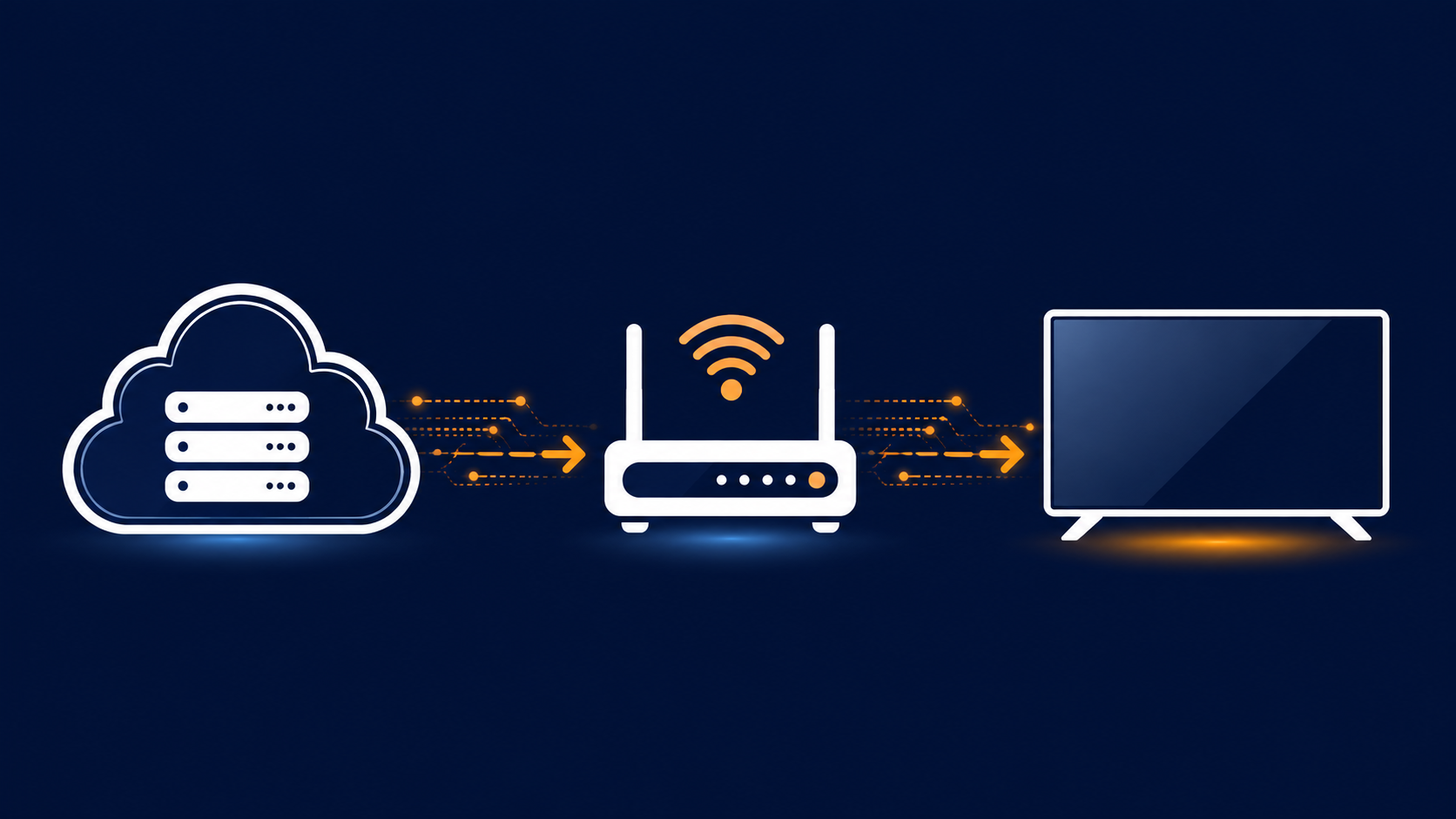
The simplest way to understand how IPTV works is to follow the content from the provider's server to your screen.
Step 1 — Content Is Encoded and Stored
An IPTV provider acquires content — live channels, recorded programs, and on-demand titles — and encodes it into a compressed digital format. Common video codecs used for this are H.264 and H.265. The compressed content is stored on servers in data centers built for high-volume video delivery.
Step 2 — Your Device Sends a Request
When you open your player app and select a channel or title, your device sends a request over the internet to the provider's server. Think of it like typing a web address — your device asks for something specific, and the server responds.
Step 3 — Packets Travel Over Your Internet Connection
The server sends the content back to your device as a continuous stream of data packets. These packets travel over your broadband connection — through your router, via Wi-Fi or an Ethernet cable — and arrive at your device. The speed and stability of that journey depend entirely on your internet connection.
Step 4 — Your Player App Reassembles and Displays the Stream
Your player app receives the packets, reassembles them in order, decodes the video, and displays it on screen. If packets arrive slowly or out of order — due to a weak connection or network congestion — you may experience buffering or pixelation.
That's the full cycle. Your screen shows live or on-demand television because your broadband connection is continuously receiving and processing a stream of video data.
The Three Main Types of IPTV Content
Most IPTV services offer three distinct types of content. Understanding the difference helps you evaluate what a provider actually delivers before you subscribe.
Live TV
Live TV works like traditional television — channels broadcast in real time. You tune in to a channel and watch whatever is airing at that moment. Sports events, news, and scheduled programming fall into this category. The viewing experience is similar to cable or satellite, except the signal comes through your internet connection.
Video on Demand (VOD)
VOD libraries let you select and watch content whenever you choose. Movies, TV series, documentaries, and other titles are stored on the provider's servers and streamed to you on request. You are not tied to a broadcast schedule. Think of it as a catalog you browse and play at any time.
Catch-Up TV
Catch-up TV sits between live TV and VOD. It allows you to watch a program that already aired — typically within the past few days to a week — without needing to have recorded it yourself. If a show broadcast on Monday and you missed it, catch-up TV lets you stream it on Wednesday. Not all providers include catch-up functionality, so this is worth confirming before subscribing.
Your Subscription and Your Player App Are Two Different Things
This distinction confuses many first-time subscribers, and understanding it early will save you frustration during setup.
When you purchase an IPTV subscription, you receive access credentials — typically an M3U playlist link or a set of Xtream Codes (a server address, a username, and a password). These credentials are not a viewing application. They are the key that unlocks your content.
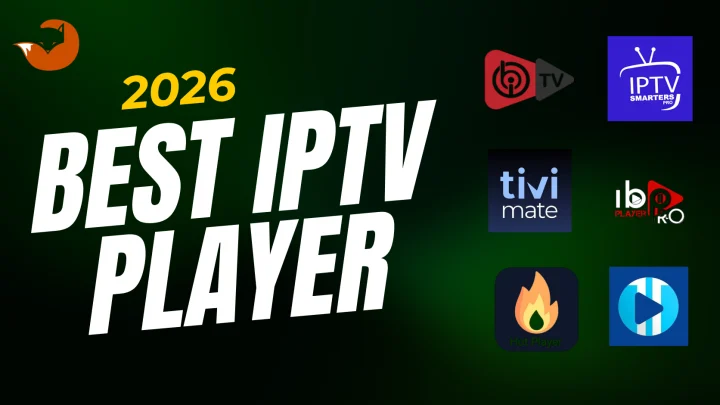
To actually watch television, you need a player app installed on your device. The player app reads your credentials, loads your channel list and Electronic Program Guide (EPG), and handles the display and playback of streams. Popular player apps include TiviMate (widely used on Amazon Firestick and Android TV), IPTV Smarters Pro (available across most platforms), and GSE Smart IPTV (common on iOS devices).
Why this matters: Some providers guide you through the player app setup as part of their onboarding process. Others supply credentials only and expect you to source and configure a compatible player yourself. Before subscribing, confirm whether your provider includes setup guidance, which player apps they recommend for your specific device, and whether the app is available in the official app store for your platform or requires a different installation method.
Many player apps are free to download. Some offer premium tiers with additional features. The player app cost and the subscription cost are separate.
Which Devices Support IPTV
IPTV works across a broad range of consumer devices. Compatibility generally means the device can run a player app that accepts your subscription credentials.
Commonly supported device categories include:
- Amazon Firestick and Fire TV — one of the most widely used IPTV devices in the US; TiviMate and IPTV Smarters are available through the Amazon Appstore or via sideloading
- Android TV and Android Box — native support for most player apps through the Google Play Store
- Samsung and LG Smart TVs — compatibility varies by model and operating system version; confirm with your provider before subscribing
- Mobile and tablet (iOS and Android) — most player apps have mobile versions; useful for watching on the go
- Windows PC — player apps are available for desktop use; useful as a backup viewing option
- Mac (macOS) — compatible with several player apps; check specific app availability for your macOS version
- MAG devices — dedicated IPTV set-top boxes that use a portal-based interface rather than a standard player app
Before subscribing to any service, confirm that your specific device and operating system version are supported by that provider, and that a setup guide exists for your exact setup.
How Much Internet Speed Do You Need
Your broadband connection is the single biggest variable in your IPTV experience. A provider's servers may perform well, but if your home network cannot sustain the required speed, buffering will occur.
The FCC Broadband Speed Guide provides a useful baseline for streaming video at different quality levels:
| Video Quality | FCC Minimum Guidance | Practical Recommendation |
|---|---|---|
| Standard Definition (SD) | 3 – 4 Mbps | 5 Mbps per stream |
| High Definition (HD / 720p-1080p) | 5 – 8 Mbps | 10 – 15 Mbps per stream |
| Ultra HD / 4K | 25 Mbps | 40 Mbps per stream |
These figures apply per active stream. If two people in your household are watching on different devices simultaneously, multiply accordingly. Add further headroom for other connected devices — phones, laptops, smart home devices — that share the same connection.
Important context from the FCC: These are minimum guidelines for a single activity at a time. Real-world performance can vary based on network congestion, router hardware, and the distance between your device and your router.
Whether 4K content is available from a specific provider is a detail to verify with that provider before subscribing, as quality offerings vary.
Home Network Tips for Better Streaming
Even on a fast internet plan, home network conditions can cause buffering that has nothing to do with the provider.
A few practical improvements worth considering:
- Use a wired Ethernet connection when possible. A direct cable from your router to your streaming device eliminates Wi-Fi interference and delivers more consistent speeds. This matters especially for live content, where a brief dropout is immediately visible.
- Position your router centrally and at height. Wi-Fi signal degrades through walls and over distance. A device far from the router may receive only a fraction of your available speed.
- Avoid peak-hour congestion. Between approximately 7 PM and 11 PM, many neighborhoods experience reduced effective speeds as multiple households stream simultaneously. Testing during these hours is more realistic than testing at midday.
- Restart your router periodically. Routers accumulate temporary data over time. A regular restart keeps performance consistent.
- Check for background downloads. Other devices downloading updates or syncing files can consume significant bandwidth while you are streaming.
If you experience buffering, test with an Ethernet connection and with other devices inactive before concluding the provider is the cause.
Honest Advantages and Limitations
IPTV offers genuine benefits, but presenting it without its limitations would not be accurate or useful.
Advantages:
- Flexible access on devices you already own, without new hardware requirements
- No satellite dish or cable installation
- Plan lengths and pricing that give more control over your commitment
- Access to live, on-demand, and catch-up content through a single subscription
Limitations to be aware of:
- Performance depends on your internet connection — IPTV cannot compensate for a slow or unstable broadband plan
- Wi-Fi connections can introduce inconsistencies that a wired connection avoids
- During high-traffic periods on your local network, stream quality may temporarily decrease
- Service quality, channel availability, and catalog size can vary significantly between providers
- Not all devices are supported equally — your specific device and model should be confirmed before subscribing
- Some player apps require a separate download and configuration step that is not always straightforward for first-time users
Setting realistic expectations before subscribing helps you evaluate a service fairly and troubleshoot effectively when issues arise.
Common Beginner Mistakes
These are the errors most likely to lead to a poor first experience with IPTV.
Paying for a long plan before testing. If a provider offers a trial period, use it during peak evening hours before committing to a longer subscription. Testing on a weekday afternoon does not reflect the real viewing environment.
Ignoring the player app step. Some first-time subscribers pay for a subscription and then don't know what to do with the credentials they receive. Understanding the player app requirement before subscribing prevents post-payment confusion.
Assuming Wi-Fi will be sufficient. Wi-Fi works for many users, but live content is less forgiving of brief dropouts than on-demand video. If buffering persists, switching to Ethernet is the first practical fix.
Not confirming device compatibility. A device list on a provider's website is not a guarantee that your specific TV model or operating system version is fully supported. Ask for a setup guide for your exact device before paying.
Not reading the refund policy. Policies vary significantly between providers. Understanding the terms before payment avoids surprises if the service doesn't meet your expectations.
Choosing a provider based on channel count alone. A claim of 50,000+ channels is not a quality indicator. Server reliability, support responsiveness, and honest terms are more meaningful evaluation criteria.
What to Verify Before You Subscribe
Before paying for any IPTV subscription, confirm the following directly with the provider:
On legal and authorization considerations: IPTV technology itself is a legal delivery method. Whether a specific service is operating lawfully depends on whether it holds the proper licenses for the content it distributes. A provider that cannot answer basic questions about their service, has no identifiable contact information, or relies only on unverifiable payment methods warrants careful evaluation before you commit. For questions specific to your situation, consult a qualified attorney rather than relying on marketing claims.
How FoxTele Works
FoxTele is a US-market IPTV service offering prepaid plans with no recurring billing.
Available plans:
| Plan | Price |
|---|---|
| 3 Months | US$30 |
| 6 Months | US$45 |
| 12 Months | US$70 |
Supported devices: Samsung and LG Smart TV, Android TV and Android Box, Amazon Firestick, MAG Device, mobile and tablet, Windows PC, and Mac (macOS). Confirm device-specific compatibility with FoxTele before subscribing.
Order process:
1. Select a plan on the FoxTele website 2. Submit your order request 3. FoxTele reviews the request 4. You receive a payment link by email or WhatsApp 5. Complete payment 6. Receive your setup and activation information
Payment is not automatic — a payment link is sent after order review. This means there is a review step before any charge occurs.
Contact: support@foxtele.us or WhatsApp at +1 450-485-2195
Trial availability, refund terms, and stream limits should be confirmed directly with FoxTele at the time of your inquiry, as these details are subject to current policy.
If you're ready to compare plan options, view FoxTele plans to see the current pricing and start an order request.
Ready to Explore FoxTele Plans?
FoxTele offers prepaid plans with no recurring billing – choose the duration that suits your viewing habits. When you’re ready, submit an order request and FoxTele will send your payment link by email or WhatsApp.
Frequently Asked Questions
What is IPTV and how does it work in simple terms?
IPTV stands for Internet Protocol Television. It delivers television content — live channels, on-demand video, and catch-up TV — over your home broadband connection rather than through a cable wire or satellite dish. You watch through a player app installed on a compatible device. When you select a channel, your device requests the content from the provider's server, which sends it back as a stream of data packets over your internet connection.
Is IPTV legal in the USA?
IPTV as a technology is legal. Legality depends on whether the provider holds the appropriate licenses for the content it distributes. The same principle applies to any content distribution method: the technology is neutral, but distributing copyrighted material without proper authorization is not lawful. Before subscribing, look for providers with verifiable contact information, clear terms of service, and transparent answers to questions about their service. If you have specific legal questions, a qualified attorney is the appropriate resource.
What internet speed do I need for IPTV?
The FCC Broadband Speed Guide recommends 5-8 Mbps per stream for HD video and 25 Mbps per stream for Ultra HD 4K. These are per-device minimums for a single activity. In a household with multiple active devices and users, you need to add headroom. A wired Ethernet connection will generally outperform Wi-Fi for live streaming.
What is the difference between an IPTV player app and an IPTV subscription?
Your subscription provides credentials — an M3U link or Xtream Codes — that give you access to the provider's content. Your player app is the software you install on your device to read those credentials and display your channels and guide. You need both. Popular player apps include TiviMate, IPTV Smarters Pro, and GSE Smart IPTV. The player app is separate from the subscription and is typically downloaded independently.
What is catch-up TV?
Catch-up TV allows you to watch a program that aired recently — typically within the past few days — without having recorded it yourself. It is a replay feature available through some, but not all, IPTV providers. If catch-up TV is important to your viewing habits, confirm that the provider you are considering includes it before subscribing.
Why does IPTV sometimes buffer?
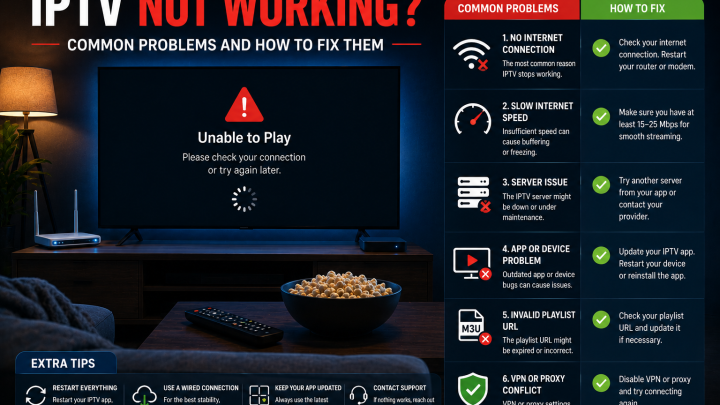
Buffering occurs when your device cannot receive data packets fast enough to maintain smooth playback. Common causes include a slow or unstable internet connection, Wi-Fi signal weakness, network congestion during peak viewing hours, too many devices sharing bandwidth simultaneously, or a router that needs a restart. Switching to a wired Ethernet connection and testing with other devices inactive will help you identify whether the issue is your network or the provider's server.
*Service availability, channel access, content quality, and pricing are subject to change. Device compatibility depends on your specific hardware, software version, and player app. Internet performance depends on your broadband plan, home network, and real-time network conditions. Verify current terms with any provider before subscribing. Nothing in this guide constitutes legal advice.*