If you've searched "best IPTV 2026" and found pages ranking specific providers as "#1" based on testing dozens of services over months — those rankings are almost certainly not what they appear to be. Testing 30 providers for 90 days each would require nearly eight years. What you're reading is affiliate marketing with a freshness date attached.
This guide takes a different approach: it explains what has actually changed in 2026 that affects how you evaluate an IPTV service, and gives you a framework to make your own assessment — regardless of which provider you're considering.
What Actually Changed for IPTV in 2026
The "2026" in a buying guide title should mean something. Here is what genuinely changed this year that affects buyers.
The Fire TV Stick Vega OS Transition
This is the most significant device development of 2026 for IPTV users, and nearly every "best IPTV 2026" article ignores it entirely.
Amazon has been replacing Android-based Fire OS on its Fire TV Sticks with a new proprietary operating system called Vega OS — a Linux-based system built from the ground up. The critical difference: Vega OS does not support sideloading. You cannot install apps from outside the Amazon Appstore on any Vega-based device.
Amazon made the transition official in January 2026 in its Amazon Fire TV developer documentation: "Starting with Fire TV Stick 4K Select, all future Fire TV Sticks will run on Vega."
Current Vega OS devices (no sideloading):
- Fire TV Stick 4K Select (released October 2025)
- Fire TV Stick HD (released April 2026)
Fire OS devices that still support sideloading:
- Fire TV Stick 4K Plus and Fire TV Stick 4K Max — currently the last Android-based Fire TV Sticks that will allow sideloading
- Fire TV Cube (3rd generation) — still runs Fire OS as of August 2026
- Fire TV Smart TVs (Toshiba, Insignia, Amazon-branded) — still Fire OS
Why this matters: Many popular IPTV player apps — including TiviMate — are not in the Amazon Appstore and must be sideloaded. On any Vega OS device, sideloading is restricted to registered developers only. If you own or plan to buy a Fire TV Stick 4K Select or Fire TV Stick HD (2026), your app options are limited to what Amazon has approved in their Appstore.
How to check your device: Go to Settings > My Fire TV > About. If the software version begins with "OS 1", your device runs Vega OS. If it shows "Fire OS" followed by version numbers starting with 3, 5, 6, 7, 8, or 14, sideloading is supported.
Player App Landscape in 2026
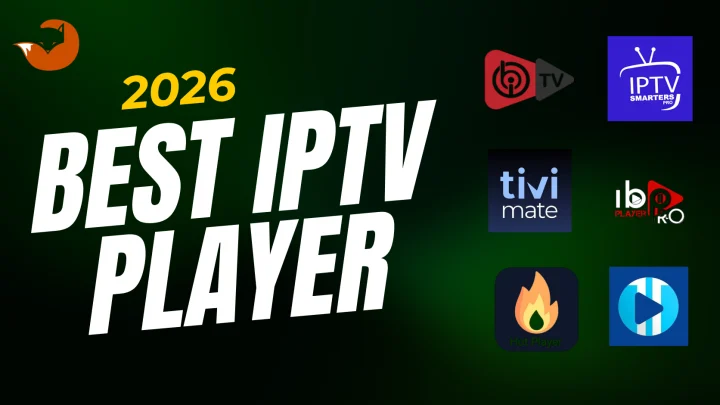
The IPTV player app you use determines how you browse channels, watch VOD content, access the Electronic Program Guide (EPG), and interact with your subscription. In 2026, the key apps and their platform status are:
TiviMate (most widely recommended for Fire OS and Android TV):
- Version 5.3.3 current as of June 2026
- Available via Google Play (Android TV, Android Box)
- NOT in the Amazon Appstore — requires sideloading on Fire OS devices
- NOT available on Samsung Tizen, LG webOS, or iOS
- Free version covers basics; paid premium unlocks multiple playlists and advanced EPG
IPTV Smarters Pro (widest platform coverage):
- Available in the Amazon Appstore (no sideloading required)
- Available via Google Play (Android TV)
- Available for Samsung Smart TVs, LG Smart TVs, iOS, Windows, and Mac
- Best choice for Vega OS Firestick owners who can't sideload TiviMate
GSE Smart IPTV:
- Available on iOS, Android, and Firestick (Amazon Appstore)
- Consistent cross-platform experience
IBO Player / Smart IPTV:
- Present in Samsung and LG app stores — among the limited options for Tizen and webOS users
XCIPTV:
- Free with advanced features (DVR, multi-screen)
- Requires sideloading on all devices — not in any app store
- Not usable on Vega OS devices
Platform Consolidation and What It Means for Buyers
Beyond the Vega OS change, 2026 has seen broader ecosystem consolidation:
- NVIDIA Shield TV, long preferred by IPTV enthusiasts for its processing power and Android openness, appears to have been discontinued as of July 2026, based on industry reporting
- Smart TV native apps (Samsung, LG) are increasingly the default starting point for users whose TV already runs a supported IPTV player app
- The gap between Android-open and Appstore-locked devices is widening, making pre-purchase device checks more important than they were two or three years ago
How to Build Your 2026 IPTV Evaluation Framework
Start With Your Device, Not the Provider
In 2026, the correct evaluation sequence is: device → player app → provider — in that order.
- Confirm your device model and operating system (Vega OS vs. Fire OS vs. Android TV vs. Samsung Tizen vs. LG webOS vs. other)
- Identify which IPTV player apps are available for your specific device — this is determined by your OS, not your provider
- Confirm your preferred player app is available for your device before subscribing to any service
- Only then evaluate providers based on their support for your confirmed player app
A provider claiming to "support Firestick" is not necessarily compatible with a Vega OS Firestick if their recommended player requires sideloading. Always ask: which specific player app do you support on my exact device model?
For device-specific guidance, review IPTV for Smart TV and IPTV for Firestick.
Understand the Player App vs. Subscription Split
Your IPTV subscription provides access credentials — either Xtream Codes (a server URL, username, and password) or an M3U playlist link. These credentials do not contain a viewing application. They are the key to your content.
The player app is separate software that reads your credentials, loads your channel list, and handles playback. You need both. Installing a player app without credentials gives you an empty application. Having credentials without a player app means you cannot watch anything.
This distinction matters practically: when a provider says "just install our app," confirm whether they mean their own dedicated app or whether they mean a general IPTV player you configure separately. The setup process differs significantly between the two.
For a fuller explanation of this distinction, review how IPTV works.
Check Login Method Compatibility
Most providers use one of two credential formats:
Xtream Codes: Three components — a server URL, a username, and a password. Supported by most current IPTV players. Allows the player to organize live TV, VOD, and catch-up content into separate sections automatically. Generally the more feature-rich option.
M3U playlist URL: A single web address containing your channel list. Simpler, and supported by virtually all IPTV players. Fewer organizational features in some apps.
Confirm your provider's format and verify your chosen player app supports it before subscribing.
Internet and Home Network Requirements in 2026
Broadband speeds have improved across most US markets, but the fundamentals of IPTV network requirements haven't changed. The FCC Broadband Speed Guide provides the baseline:
| Quality | FCC Minimum per stream |
|---|---|
| Standard Definition (SD) | 3-4 Mbps |
| High Definition (HD / 1080p) | 5-8 Mbps |
| Ultra HD / 4K | 25 Mbps |
These are per-device, single-activity minimums. A household with multiple active devices — streaming, gaming, video calls — needs proportionally more. Whether any specific provider offers 4K content is a detail to verify directly, not assume from general marketing.
2026 network considerations:
- Wi-Fi 6 (802.11ax) is now standard on most recent Fire TV devices and high-end routers, delivering meaningfully better performance in congested multi-device households versus Wi-Fi 5
- Even with Wi-Fi 6, a wired Ethernet connection remains the most reliable choice for live content — especially sports — because it eliminates wireless interference entirely
- 5G fixed wireless internet has expanded in many US markets and generally provides adequate speed for IPTV; stability during peak neighborhood usage periods varies by provider
Plan Terms, Stream Limits, and Billing Transparency
Most IPTV services offer plans in durations of one month, three months, six months, or twelve months. Longer plans typically offer a lower effective monthly cost in exchange for a longer commitment. The content access is generally identical across all durations.
What to verify before paying:
- Billing model: Is this a one-time prepaid payment for the stated duration, or a recurring subscription that charges automatically at renewal? These are meaningfully different and the distinction should be clearly stated before checkout.
- Simultaneous streams: How many devices can use the account at the same time? A single-stream plan means only one device per account at once. If multiple household members want to watch simultaneously, confirm whether a multi-stream option exists and at what cost.
- Activation method: Is activation automatic after payment, or does the provider send credentials manually after reviewing the order? Knowing which to expect prevents unnecessary concern about delays.
Trial and Refund Policies: What to Verify
A genuine trial period is one of the most useful things a provider can offer — it lets you test the service on your actual device, with your actual internet connection, at typical viewing hours, before any financial commitment.
If a trial is offered, use it meaningfully:
- Test on your primary viewing device, not a backup
- Test during peak evening hours (7-11 PM) — not mid-afternoon
- Test the specific content types you care about (live TV, VOD, sports)
- Check subtitle display, channel switching speed, and EPG accuracy
For refund policies: read the written policy before paying. Find it on the provider's website before checkout. Understand the conditions — time window, required steps, exclusions. A provider whose refund policy is only discoverable after payment has made a deliberate choice about who benefits from that arrangement.
Payment Methods and Account Security in 2026
This section contains 2026-current FTC consumer guidance on payment scams.
The FTC has issued current consumer alerts specifically addressing payment method as a scam signal. Reports to the FTC show that if someone says the only way to pay is by bank transfer, wire transfer, cryptocurrency, payment app, or gift card — that's a scam. The FTC notes these payment methods are consistently used precisely because they make it difficult to recover your money if the service fails to deliver.
Apply this directly to IPTV purchasing: a provider who accepts only cryptocurrency, gift cards, or wire transfer — and offers no standard credit card or PayPal option — has chosen payment methods that protect themselves, not you.
What standard payment provides:
- A traceable transaction record
- Credit card or PayPal dispute resolution if the service is not delivered
- The ability to reverse a charge if necessary
Account security considerations:
- Your IPTV credentials (username and password) are the key to your subscription — do not share them publicly or on community forums
- If you share credentials with others, the provider may terminate the account for exceeding stream limits
- Some providers issue new credentials regularly; others maintain the same credentials for the duration of the plan — clarify which applies
What Support Should Look Like in 2026
IPTV support standards have improved as the market has matured, but quality still varies enormously between providers.
Realistic expectations for a reliable provider in 2026:
- Pre-sales response within a few hours for specific questions — not scripted responses to vague questions
- Documented setup guides for the specific devices and player apps they support, not just a device brand name on a compatibility list
- A clear point of contact (email, WhatsApp, or live chat) that is functional before you pay — not a contact form that generates no response
- Honest answers to technical questions — a provider who deflects or contradicts your device model check is not a provider who will help when something goes wrong
Test support before subscribing: Send a specific question about your device model and preferred player app. Evaluate both the speed and specificity of the response. A provider who answers "yes we support Firestick" when you asked about a Vega OS Firestick model specifically has demonstrated they either don't know or don't want to know — neither is reassuring.
Best IPTV 2026 Claims to Be Skeptical About
The SERP for "best IPTV 2026" contains some of the most consistently fabricated claims of any category we've researched for this cluster. These specific patterns appear repeatedly and should trigger skepticism:
"Tested for 90 days on 30+ providers" — Testing 30 providers for 90 days each requires 2,700 days, or approximately 7.5 years. This claim appears verbatim across multiple articles published weeks apart from each other. It is not a credible methodology.
"99.9% uptime guaranteed" — No IPTV provider has disclosed the measurement methodology, sample period, or third-party verification behind this figure. Internet-delivered services are subject to variables outside any single provider's control: your ISP, your router, CDN nodes between you and the server. This is a marketing phrase, not a technical specification.
"Anti-Freeze™ technology" and similar branded claims — These are proprietary labels without a technical standard behind them. They indicate that the provider has applied marketing language to a normal engineering concern (server load management), not that they have solved it.
Inflated channel and VOD counts — "45,000+ channels" and "140,000+ VOD titles" are marketing numbers. They say nothing about content quality, authorization, organization, or whether the channels you actually want are in the list. Ask specifically about the content you want.
"Every major league / all sports / all new releases" — No IPTV provider can make a blanket claim about current licensed sports coverage or current theatrical releases without disclosing their content authorization. Specific content availability requires specific verification.
Content Authorization: What It Means and Why It Matters
IPTV technology is a legal delivery method. Whether a specific IPTV service operates lawfully depends on whether it holds appropriate licenses for the content it distributes — the same standard that applies to cable operators, satellite providers, and streaming platforms.
In 2026, enforcement activity in the IPTV space has increased meaningfully. Major rights holders — sports leagues, studios, and broadcasters — have pursued service operators more aggressively through court actions and ISP-level blocking orders in various jurisdictions. This makes content authorization a more relevant purchasing consideration than it was in previous years.
Before subscribing to any provider, look for:
- Transparent business information — a verifiable name, contact details, and operating history
- A terms of service and privacy policy that are findable before payment
- Honest, specific answers to questions about their service — rather than deflection or generic assurances
- Standard payment methods that create a traceable transaction
A provider who cannot answer basic questions about their service and relies solely on untraceable payment methods is a provider operating without transparency. That is worth weighing before payment.
Before You Pay: A 2026 IPTV Checklist
Before paying for any IPTV service in 2026:
- I have confirmed my device model and operating system (Vega OS or Fire OS or Android TV or Samsung Tizen or LG webOS)
- I have verified which IPTV player apps are available for my specific device — in the official app store, not just in theory
- I know whether my preferred player app is in the Appstore or requires sideloading — and I know my device supports whichever applies
- I have asked the provider specifically which player app they support on my device, and received a specific answer
- I know whether the provider uses Xtream Codes or M3U credentials, and my player app supports that format
- I have confirmed the plan is one-time prepaid or recurring — and I know which
- I know how many simultaneous streams the plan includes
- I have found and read the refund policy before any payment is requested
- The payment method I'm using is standard (credit card, PayPal) and provides dispute resolution
- I have tested support responsiveness with a specific question before subscribing
- If a trial is available, I have used it during evening hours on my actual primary device
- I have not accepted unverifiable claims (99.9% uptime, 45,000 channels, "all sports included") as facts
Where FoxTele Fits in a 2026 IPTV Setup
FoxTele is a US-market IPTV service with prepaid, non-recurring plans.
Plans:
| Plan | Price |
|---|---|
| 3 Months | US$30 |
| 6 Months | US$45 |
| 12 Months | US$70 |
Supported devices include: Amazon Firestick, Android TV and Android Box, Samsung and LG Smart TV, MAG Device, mobile and tablet, Windows PC, and Mac. Device compatibility for your specific model should be confirmed with FoxTele before subscribing — particularly if you own a Vega OS Fire TV Stick, as app availability on those devices is limited to the Amazon Appstore.
Order process: Select a plan on the FoxTele website, submit your order request, FoxTele reviews the request, you receive a payment link by email or WhatsApp, complete payment, then receive your setup and activation information. There is no automatic checkout or instant charge.
Payment: FoxTele sends payment links by email or WhatsApp after order review. Confirm the payment method at time of order and that it matches your preferences.
Contact:
- Email: support@foxtele.us
- WhatsApp: +1 450-485-2195
Trial availability, refund terms, stream limits, specific device compatibility, and content availability should be confirmed directly with FoxTele before subscribing, as these details are subject to current policy.
Comparing IPTV options for 2026? Before choosing a service, confirm your device, preferred player app, plan requirements, and support needs. Explore FoxTele plans or contact support if you need help understanding compatibility or the order process.
Comparing IPTV Options for 2026?
Before choosing a service, confirm your device model and operating system, your preferred player app, plan requirements, and support responsiveness. Review FoxTele plans or contact support if you need help understanding compatibility or the order process.
Frequently Asked Questions
What is the best IPTV 2026 option?
There is no single best option — it depends on your device, which player apps are available for it, your internet connection, and your viewing habits. In 2026, the most important first step is confirming your device's operating system: if you own a new Fire TV Stick (4K Select or the 2026 HD model), it runs Vega OS and is limited to Amazon Appstore apps only — which excludes TiviMate. Use the evaluation framework in this guide to assess any provider against your specific setup before paying.
Is IPTV still worth using in 2026?
For many US households, yes — particularly those with reliable broadband, compatible devices, and viewing habits that don't depend exclusively on content only available through authorized regional networks. IPTV has matured as a technology, device and player app support has broadened, and the cost advantage over traditional cable remains significant. The key is verifying that a specific provider and setup meets your requirements before committing, rather than relying on ranked lists.
What devices work with IPTV in 2026?
Most internet-connected devices support IPTV through player apps. The 2026 caveat: newer Fire TV Stick models (4K Select and Fire TV Stick HD 2026) run Vega OS and are restricted to Amazon Appstore apps only — sideloading is not available to consumers. Fire TV Stick 4K Plus and 4K Max still run Fire OS with full sideloading support. Android TV and Google TV devices retain full Google Play Store access. Samsung and LG Smart TVs have curated app stores with a more limited IPTV player selection.
Do IPTV services require a separate player app?
Usually, yes. Most IPTV subscriptions deliver credentials (an M3U link or Xtream Codes — a server URL, username, and password) that you enter into a separately installed player app. The player app is not included in the subscription — you source it independently from your device's app store or via sideloading. Some providers have their own dedicated apps; others support only third-party players. Confirm which applies before subscribing.
How do I know whether an IPTV provider is reliable?
Test support responsiveness with a specific question before paying. Find and read the written refund policy before checkout. Confirm the payment method provides dispute resolution — avoid providers that accept only cryptocurrency, gift cards, or wire transfers. Look for a genuine trial period and use it at peak hours on your actual device. Disregard claims of "99.9% uptime" and inflated channel counts without verification methodology.
What IPTV claims should I be skeptical about in 2026?
Specifically: "tested for 90 days on 30+ providers" (physically implausible), "99.9% uptime" (no methodology disclosed), "anti-freeze technology" (marketing language without a technical standard), channel counts above 30,000–50,000 (unverifiable quality signal), "all sports/leagues included" (requires authorization verification), and "every new release available" (copyright licensing context applies). The 2026 red-flags section of this guide covers each of these in detail.